
Create an initial direction fast
Start with a prompt and turn an idea into screens you can react to instead of a blank canvas.
Pixelmost helps founders, designers, and product teams create app prototypes from prompts, refine screen structure, and review flows before testing.
Use one workflow for early mockups, interactive prototype review, navigation checks, and export-ready project handoff.
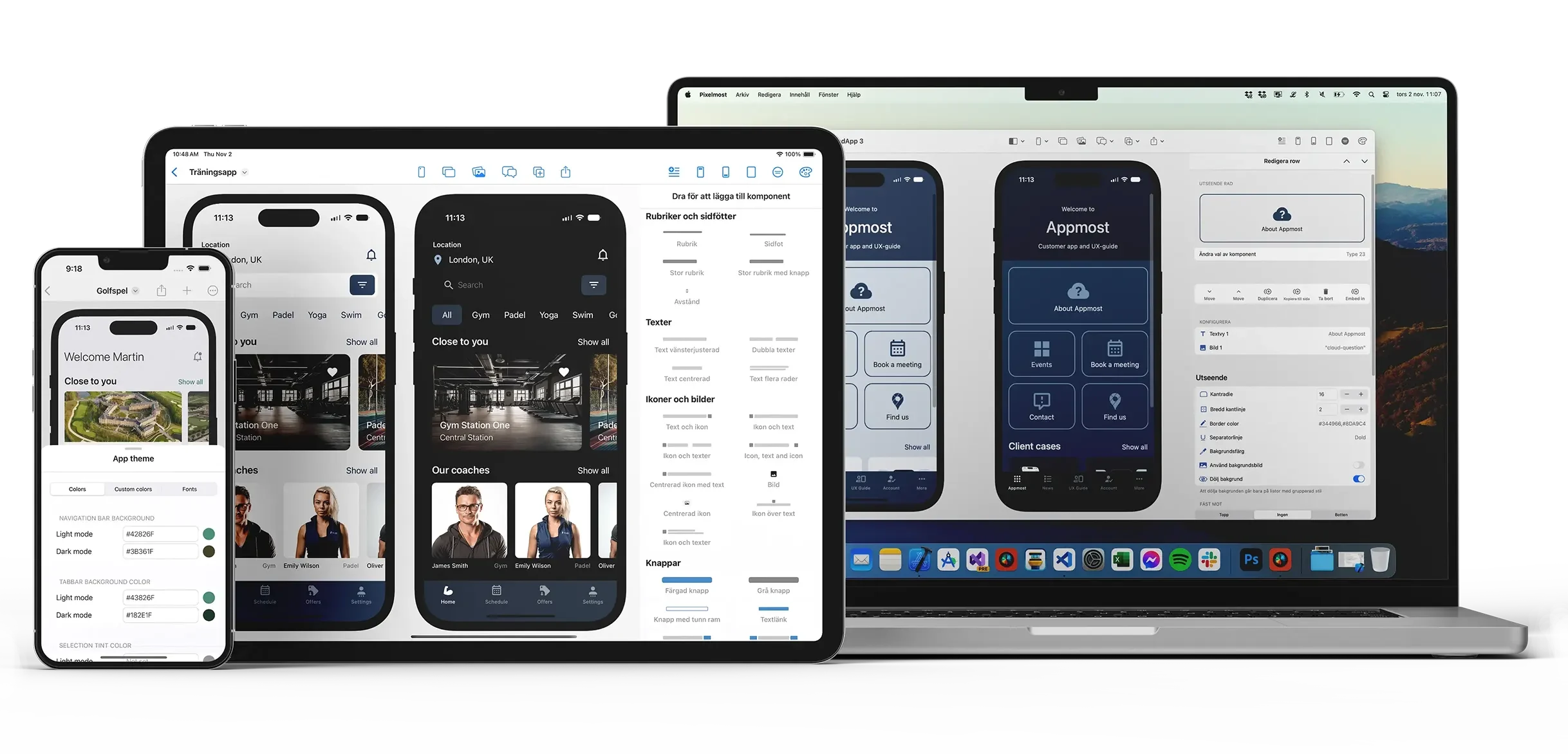
Good app prototypes are not only about drawing screens. You also need to check how screens connect, where users go next, and whether the product structure still makes sense as the project grows.
Start with a prompt and turn an idea into screens you can react to instead of a blank canvas.
Use prototype and navigation views to walk through key journeys and catch awkward paths earlier.
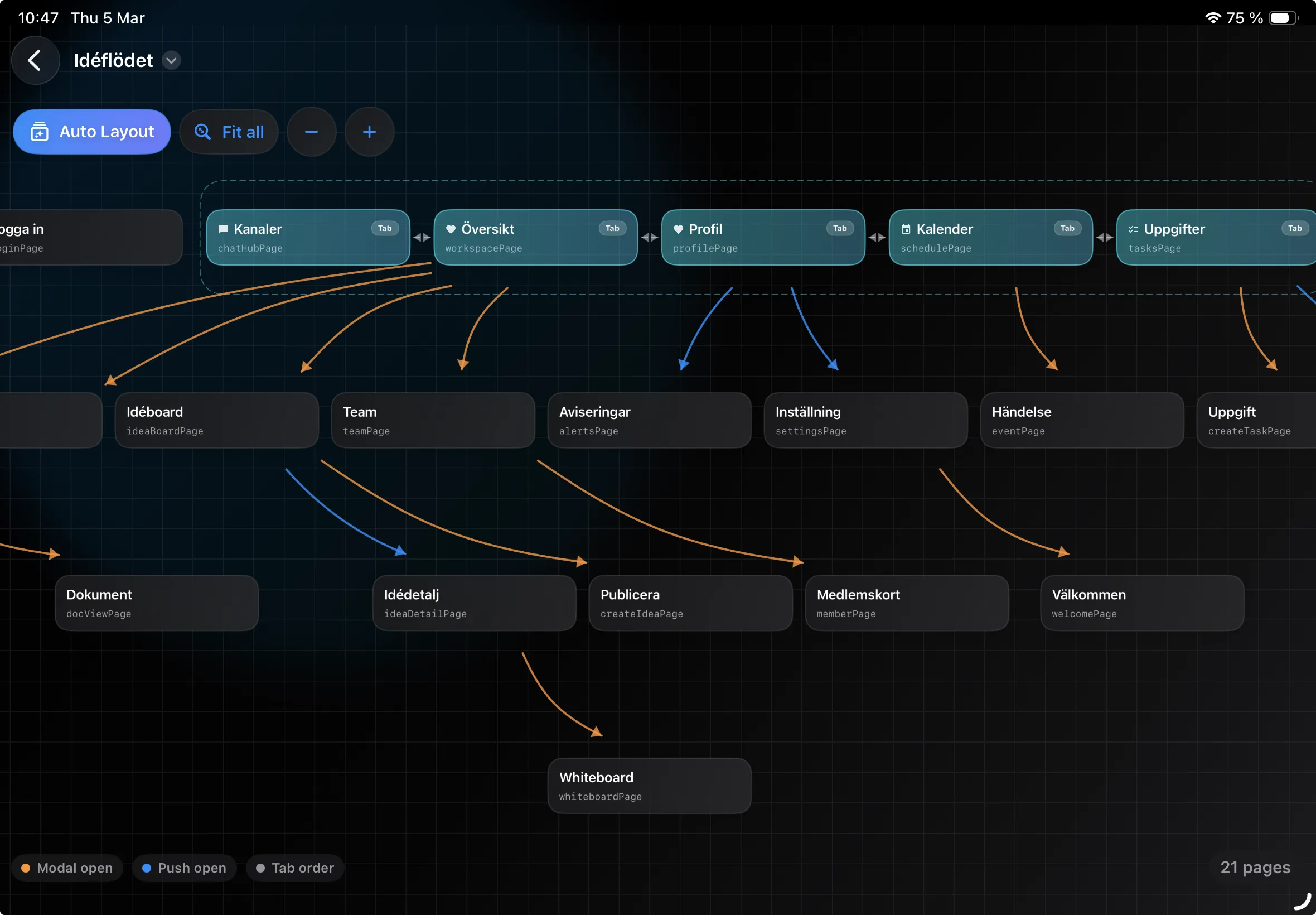
Use Graph Mode to review how screens connect and whether important sections are easy to follow.
Pixelmost is useful when you need more than a static mockup and less than a full coded app build.
Generate a first pass of the app, then refine layout, screens, and content direction with components and AI.
Check if onboarding, profile, settings, checkout, and other flows connect in a way that still feels clear.
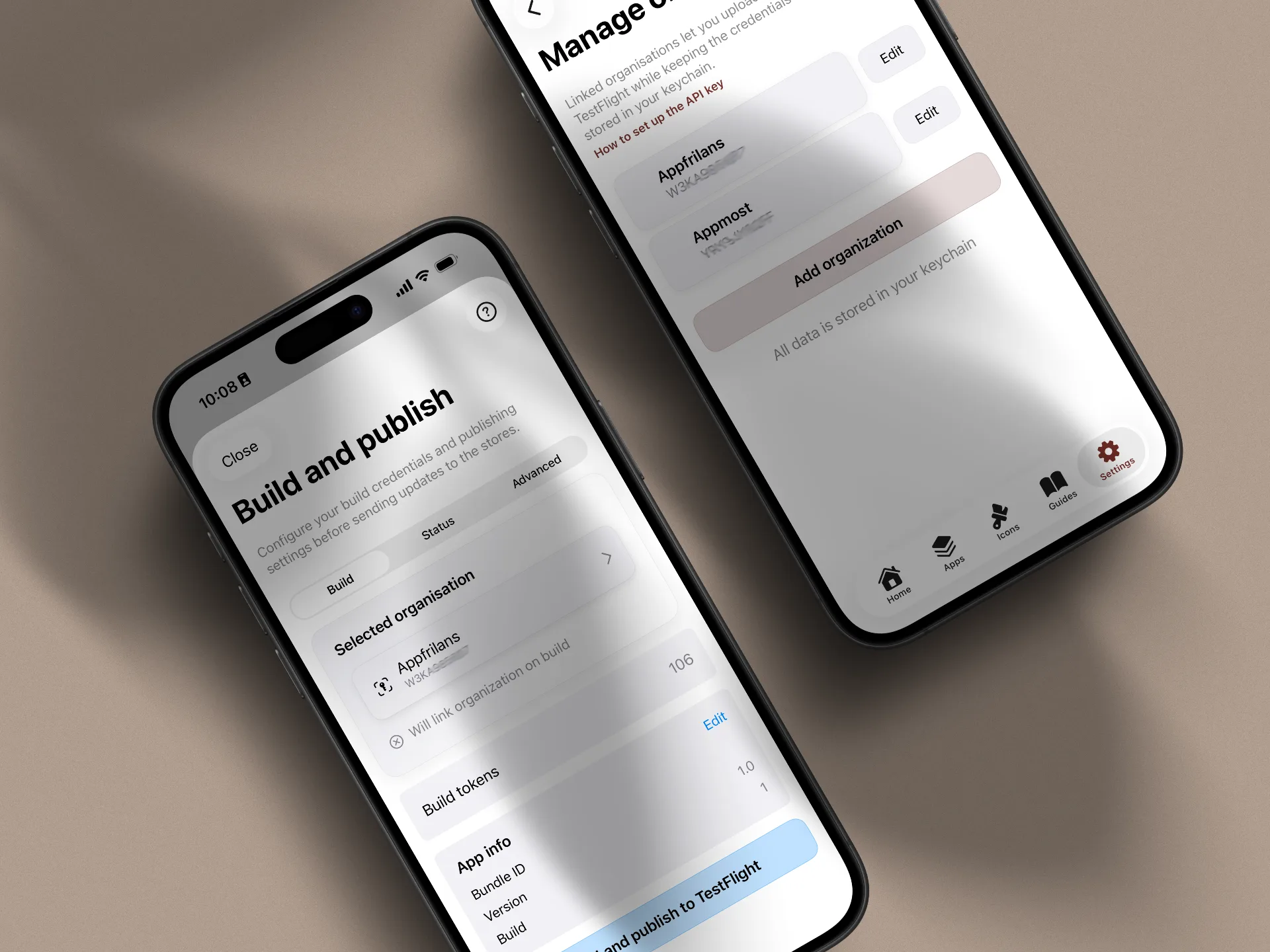
Export screens for reviews, pitch decks, and team discussions, or move on toward TestFlight support on higher plans.
If you are narrowing down your use case, these pages are the closest matches.
Create pitch-ready mobile screens and visual concepts quickly, then refine layout and presentation quality.
Move from reviewed prototype to real-device testing with Pixelmost TestFlight support and App Store Connect prep.
See how to inspect screen structure and missing routes in one view before testing or handoff.
Create screens, review flows, and tighten structure before you move into testing or implementation.