Pixelmost vs Figma vs Uizard for Mobile App Prototypes
If you are choosing an AI-assisted app prototyping tool, the right answer depends on what you need next: a collaborative design file, a fast mockup, a mobile-first app concept, or a path toward a testable app.
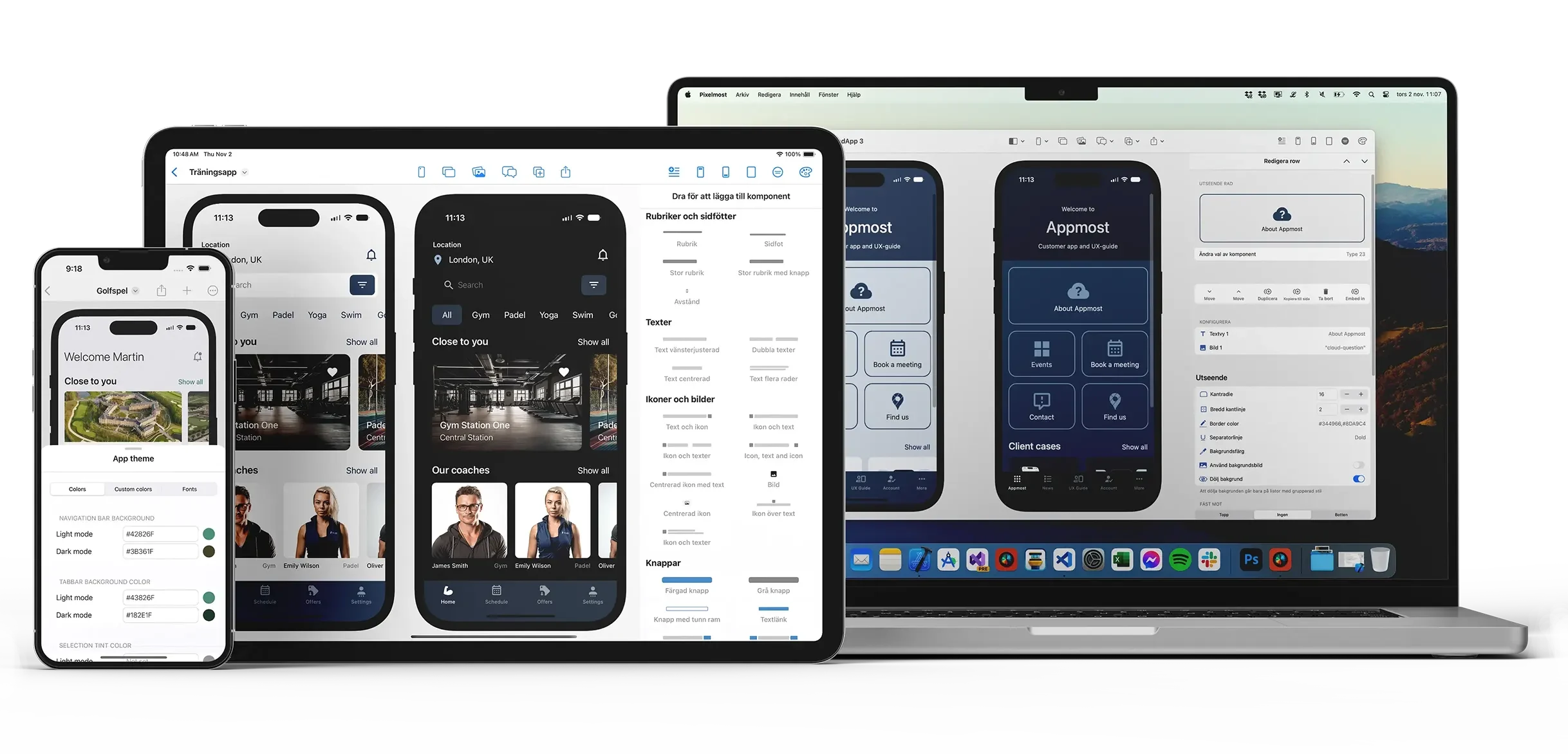
This guide is for founders, solo builders, product teams, and designers who need to turn an app idea into something concrete. It compares Pixelmost, Figma, Uizard, and Mowgli by workflow rather than feature count. There is no universal winner; the useful question is which tool fits the current stage of your mobile app project.
Short answer
Choose Pixelmost when your work is specifically about mobile app concepts on iPhone, iPad, or Mac, and you want app mockups, app icons, flow review, and TestFlight-oriented next steps in one product workflow. Choose Figma when collaborative design systems and team editing are the center of gravity. Choose Uizard when speed from prompt, screenshot, or wireframe to editable mockup matters most. Consider Mowgli when the job is closer to product specification and app build handoff than design review.
Decision table
| Need | Best fit | Why it matters |
|---|---|---|
| Mobile-first app concept on Apple devices | Pixelmost | Pixelmost is focused on app mockups, prototype flows, app icons, Graph Mode, and TestFlight-related workflows for iPhone, iPad, and Mac. |
| Collaborative product design system | Figma | Figma is the stronger choice when many designers, product managers, and engineers need shared files, libraries, comments, and design-system continuity. |
| Fast AI mockup from prompt, wireframe, or screenshot | Uizard | Uizard is positioned around quick UI generation and prototype creation, especially when you want to move from a rough artifact into an editable screen quickly. |
| Product spec to app-building workflow | Mowgli | Mowgli is closer to an AI product-building workflow, so it belongs in the comparison when you want requirements and implementation direction, not only visual review. |
Where Pixelmost is different
Pixelmost is not trying to be a general whiteboard or a full collaborative design-suite replacement. Its practical angle is narrower: generate and refine mobile app ideas, inspect how screens connect, make app-icon directions, and move closer to Apple-device testing.
- App mockups: create first-pass mobile screens from a prompt, then refine the layout and visual direction.
- Prototype flow: review the journey between screens instead of judging one isolated screen at a time.
- Graph Mode: inspect app structure so missing paths, dead ends, and awkward navigation become easier to spot.
- App icons: generate app-icon concepts inside the same app-design workflow instead of treating the icon as a separate logo task.
- TestFlight path: on eligible plans, Pixelmost connects the design/prototype stage with later TestFlight preparation.
Pixelmost vs Figma
Figma is usually the safer choice when the project needs a shared design system, mature team collaboration, component governance, and engineering handoff in an established product-design environment. If a company already has a Figma design system, switching the whole workflow just to generate a few mobile screens rarely makes sense.
Pixelmost fits a different moment: the early mobile-app stage where you want to get from idea to screens fast, keep app structure visible, and stay close to app-specific outputs such as app icons and TestFlight preparation. A practical pattern is to use Pixelmost for quick app concepting and flow exploration, then move polished directions into Figma when a larger team needs design-system governance.
Pixelmost vs Uizard
Uizard is useful when the source material is rough: a prompt, a wireframe, a screenshot, or an early UI idea that needs to become editable. It is a good fit for teams that want broad UI ideation speed and do not need the workflow to be deeply Apple-app-specific.
Pixelmost is the better fit when the project is explicitly a mobile app and the next decisions are about app screens, app flow, app icon direction, and Apple-device testing. The distinction is not “AI versus no AI”; both workflows use AI. The difference is whether the AI output should become a general UI mockup or a mobile-app concept with app-specific next steps.
Where Mowgli fits
Mowgli belongs in the research set because some founders searching for AI app prototyping actually want a product-building assistant. That is a different job from visual mockup review. If your main question is “what should this product be, what screens should exist, and how do we move toward implementation,” Mowgli may be closer to the task. If your main question is “what should this mobile app look like and how does the flow feel on Apple devices,” Pixelmost is the more focused comparison point.
Use-case examples
Founder validating an app idea
Start in Pixelmost if you need a first mobile flow, a matching app icon direction, and visuals for a pitch or stakeholder review. Move to Figma later if the idea becomes a design-system project with a larger team.
Product team with an existing design system
Stay in Figma when the design language, component library, and collaboration model already live there. Use Pixelmost as a side workflow for rapid mobile concept exploration when starting from a new app idea.
Marketer or PM with a screenshot/wireframe
Try Uizard when the input is an existing rough visual and the desired output is an editable UI mockup. Use Pixelmost when the output needs to become a connected mobile app concept.
Builder moving toward implementation
Consider Mowgli when the project needs product requirements and implementation direction. Use Pixelmost when you need visual app flow, app-icon exploration, and TestFlight-adjacent preparation.
A practical evaluation checklist
Before picking a tool, run the same small assignment in each candidate: “Create a five-screen onboarding flow for a habit-tracking app with sign-up, first habit setup, reminders, progress, and settings.” Then compare the result on these points:
- How quickly did you get to usable mobile screens?
- Could you inspect the journey between screens, not only the visual layout?
- Were app-specific details like icons, empty states, settings, and permissions easy to handle?
- Could a non-designer understand and edit the result?
- Could the output support the next step: stakeholder review, pitch, design handoff, or device testing?
Recommendation
If your project is a mobile app and you need fast concept work, Pixelmost should be on the shortlist. It is especially relevant when the team needs app mockups, app icons, flow review, and a path toward TestFlight rather than a general design canvas. If your work is primarily collaborative interface design, Figma remains the default benchmark. If your first input is a sketch, prompt, or screenshot and you need a quick editable UI, Uizard is worth testing. If your real need is product planning plus implementation direction, compare Mowgli separately rather than treating it as a pure prototyping tool.